Pricing Rules
On this page
What a Pricing Rule is
A Pricing Rule is a formula that the configurator evaluates to produce a unit price. Rules give the shop flexibility beyond a flat per-in² rate — you can encode volume breaks, rush premiums, complexity surcharges, thickness-driven upcharges.
Menu: Plating → Configurator → Pricing Rules.
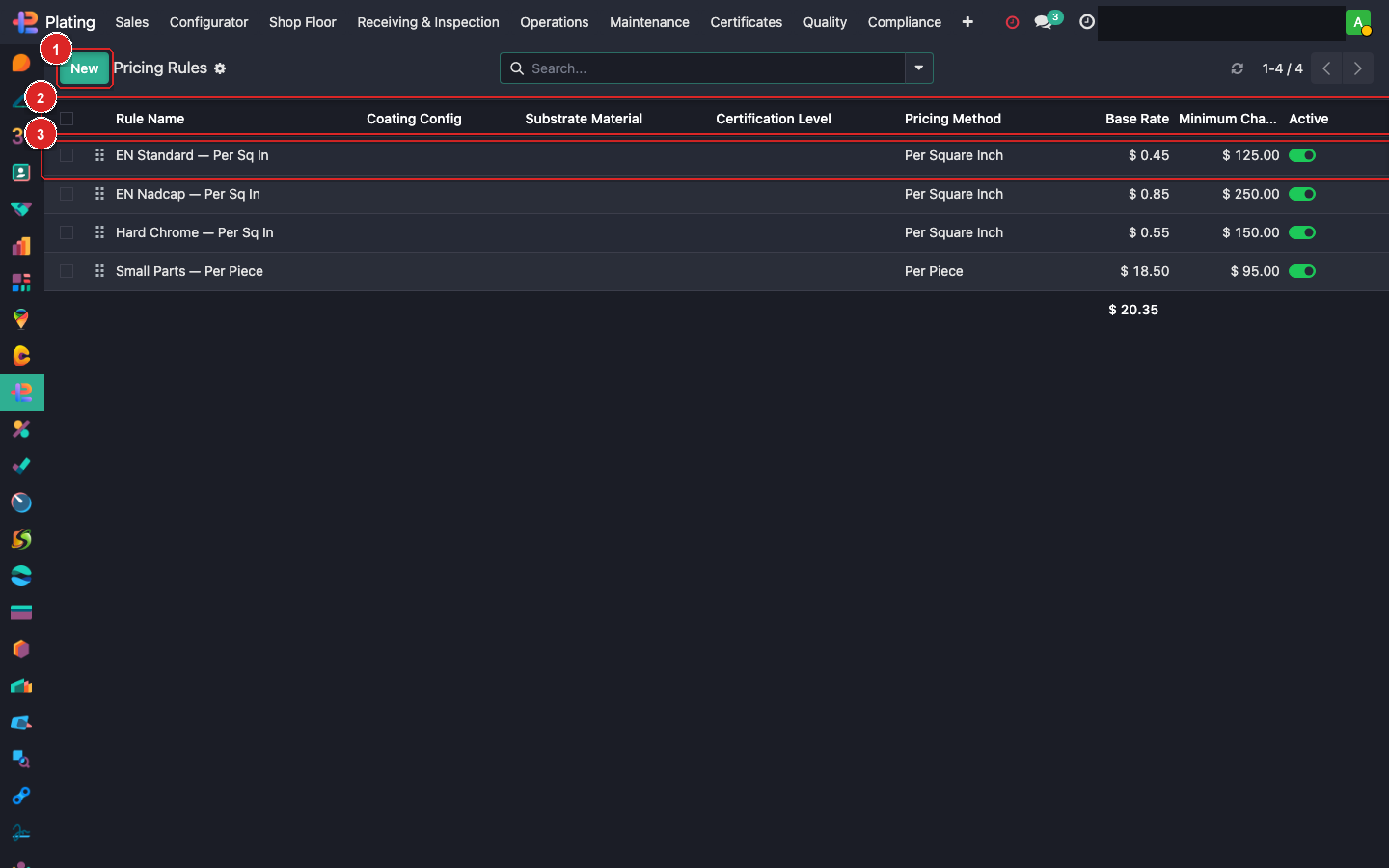
Rule anatomy
Each rule has:
| Field | Purpose |
|---|---|
| Name | What this rule does in plain English. |
| Code | Short identifier. |
| Coating Config | Which coating uses this rule (1 rule per coating). |
| Formula | Python-evaluated expression producing unit price. |
| Complexity Surcharges | One-to-many table of named surcharges with pick-list triggers. |
| Min Charge | Floor; if formula returns less, use this instead. |
| Volume Bands | Per-quantity tier (e.g. 1–50: $1.20, 51–500: $0.90, 501+: $0.70). |
Formula variables
Inside the formula you can reference:
sa          # net plateable surface area
qty         # quantity
thickness   # target thickness from the coating config
rush        # True if order is rush
material    # 'aluminium' | 'steel' | 'stainless' | 'copper' | 'titanium'
weight      # part weight (kg)
min_charge  # the rule's min charge value (for max() use)
Example formulas
Simple per-sq-in:
sa * 0.75
Volume-tiered (flat rate): leave formula blank, fill in Volume Bands instead.
Rush premium:
sa * 0.75 * (1.25 if rush else 1.0)
Thickness-dependent (aerospace):
sa * (0.50 + thickness * 0.02) # $0.50 base + 2 cents per µm
Complexity surcharges + base rate:
max(min_charge, sa * 0.60 + surcharge_total)
…where surcharge_total is auto-computed from the Complexity Surcharges subtable.
Complexity surcharges
For each rule, add surcharge lines that the estimator selects in the configurator:
| Name | Amount | Multiplier |
|---|---|---|
| Extra masking (>5 features) | $25 | per-part flat |
| Mirror finish prep | 15% | percentage of base |
| Low quantity setup | $150 | per-order flat |
At quote time the estimator ticks which apply; the sum becomes surcharge_total in the formula.
Testing a rule
- Open the rule.
- Use Test Formula button (if present) or open a Quote Configurator session against a test part.
- Watch the
Calculated Pricefield update. - Adjust variables, re-test.
What can go wrong
Formula error → price is 0
Syntax error or undefined variable name. Check the chatter — Odoo posts the exception detail. Fix the formula, re-save.
Price is way too high/low
Unit mismatch is the usual culprit. If surface area is in cm² but formula assumes in², prices are off by 6.45x. Use the same UOM consistently — match the coating's Default UOM for pricing.
Volume bands ignored
If a formula is set AND volume bands exist, formula wins. Blank the formula if you want bands to apply. Can't mix both for one coating.