Building Process Recipes
On this page
What a Recipe is
A Process Recipe is a tree that describes the full sequence of steps to complete a coating. It drives:
- Work Order generation (one WO per
operationnode) - The travelling sheet / job card operators see
- The CoC's process listing
- Tablet Station step-by-step guidance
Menu: Plating → Operations → Process Recipes.
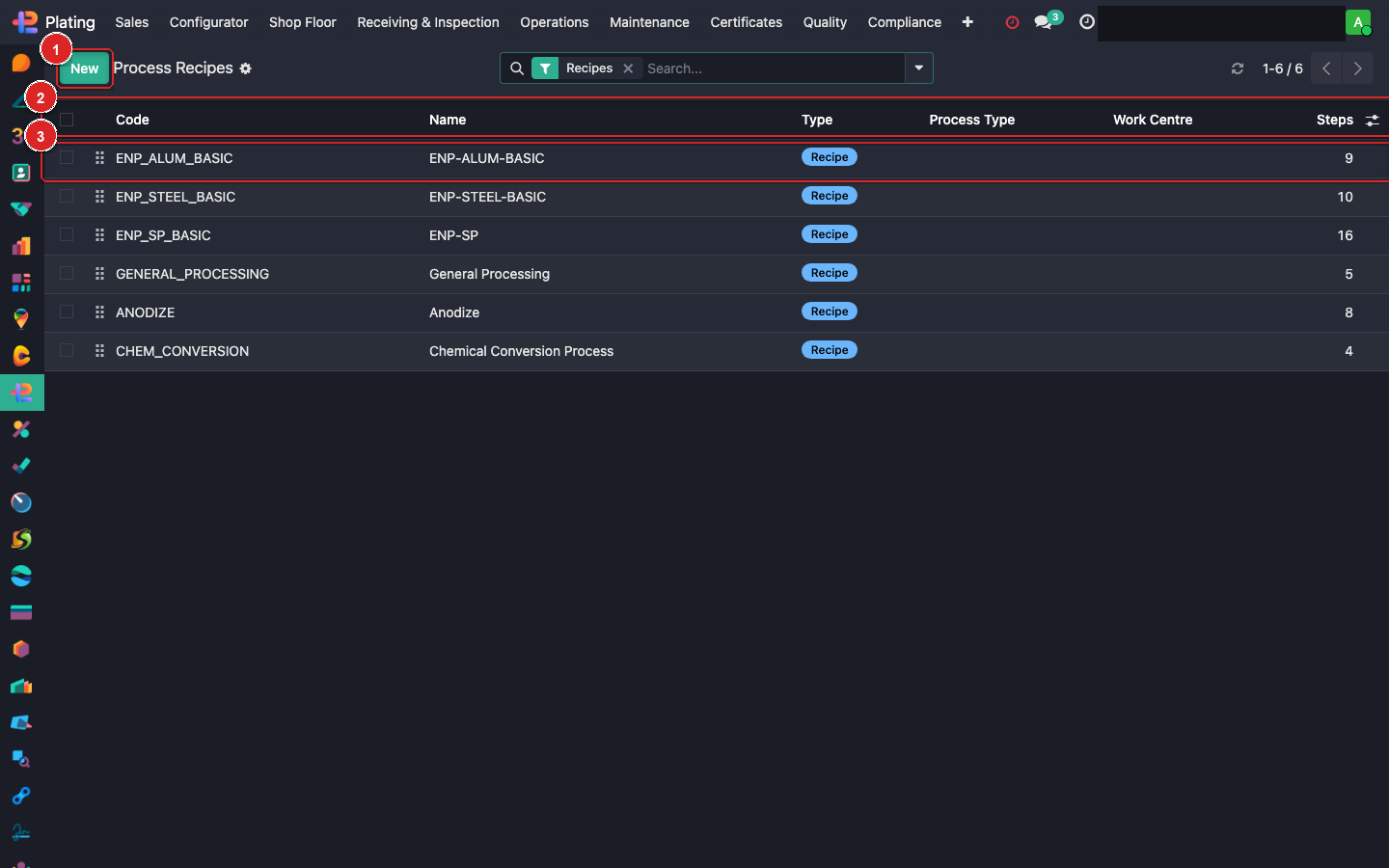
Box ① + New Recipe (top-left). Box ② columns (Name, Code, Version, Active). Box ③ click a row to open it.
The node hierarchy
Every recipe is a tree of nodes. Four node types:
| Type | Role |
|---|---|
recipe |
Root of the tree. One per recipe. |
sub_process |
Logical group (e.g. "Pre-treatment"). Not executed on its own. |
operation |
A WO-generating step (e.g. "Alkaline Clean"). Each becomes one mrp.workorder. |
step |
Instruction-only child of an operation (e.g. "dwell 3 min at 60 °C"). Appears on the travelling sheet. |
The WO generator walks the tree pre-order and emits one WO per operation node that passes its opt-in/out rules.
The tree editor
Open a recipe and click Open Tree Editor. The OWL-based editor lets you:
- Add Child Node — green + button on any node.
- Drag-drop — re-order or re-parent nodes within valid constraints.
- Delete — trash icon; cascades to children.
- Duplicate — for sibling nodes that differ slightly.
- Icon picker — choose from the 24 curated plating icons.
Node fields
Each node has:
| Field | Purpose |
|---|---|
| Name | What the operator sees |
| Node Type | recipe / sub_process / operation / step |
| Sequence | Ordering among siblings |
| Icon | Visual cue |
| Estimated Duration (min) | Used in WO duration_expected + dwell display |
| Auto-Complete | Skip operator sign-off |
| Customer Visible | Appears on CoC + portal |
| Is Manual | Yes = operator-driven; No = automated |
| Requires Sign-off | QA/lead must approve before batch advances |
| Opt-in/Out | disabled (always run) / opt_in (skipped unless requested) / opt_out (run unless excluded) |
| Work Centre | Where the WO lands (FP WC → MRP WC mapping) |
| Shop Role | Which operator role can run this step |
| Operator Inputs | Structured fields the operator fills (measurements, pass/fail, photos) |
Opt-in / opt-out semantics
- disabled: the node always runs. Most common default.
- opt_in: skipped on new jobs. Planner must explicitly enable per MO (via the Recipe Config wizard). Use for optional tests / non-standard treatments.
- opt_out: runs on new jobs unless explicitly excluded. Use for common-but-sometimes-skipped steps (e.g. first-piece inspection on small re-orders).
The MO's Recipe Config wizard surfaces every opt-in/opt-out node so the planner can set per-job.
Operator inputs
Click a node → Operator Inputs tab. Add rows like:
| Label | Type | Required |
|---|---|---|
| Pre-plating pH | Number | ✓ |
| Dwell time (min) | Number | ✓ |
| Visual inspection | Pass/Fail | ✓ |
| Rack photo | Image | — |
These render on the Tablet Station as prompts the operator must answer before advancing to the next step.
Versioning
Any substantive edit to a recipe increments version. MOs currently running against the old version continue with a pinned copy (so mid-flight changes don't break the shop floor).
To force existing MOs to re-read a new recipe version: open each MO → Actions → Re-sync Recipe.
Reference implementations
Fusion Plating ships with 5 data-seeded recipes:
ENP-ALUM-BASIC— Electroless Nickel on aluminium.ENP-STEEL-BASIC— EN on steel.ENP-SP— EN, Special Process (aerospace).ANODIZE— Type II sulfuric anodize.CHEM_CONVERSION— Trivalent chromate.
Clone any of these as a starting point for a custom variant. Open → Duplicate → edit.
What can go wrong
No WOs generated from a confirmed SO
The coating's recipe_id is blank, or the recipe has no operation nodes. Check the coating config and the recipe tree.
Operator says "step X is missing"
Either the node is opt_in and the planner didn't enable it, or it's been archived. Check the Recipe Config wizard + the tree editor.
First-piece sign-off isn't firing
Node's Requires Sign-off checkbox is off. Turn it on in the tree editor.